






Your eyes hurt. You’ve got a dull headache that won’t quit. By 3 PM, you can barely focus on your screen. So you book an eye exam, convinced you need new glasses or a stronger prescription.
But here’s what most people don’t realize: your glasses might not be the problem. Screen-related eye strain and headaches often have nothing to do with your prescription-and everything to do with fixable habits and nutritional gaps.
Before you spend money on new lenses, try fixing these seven things first.
1. The 20-20-20 Rule (That Nobody Actually Follows)
You’ve probably heard this before, but are you actually doing it? Every 20 minutes, look at something 20 feet away for 20 seconds.
Why this matters:
- Your eyes aren’t designed to focus at the same distance for hours
- Prolonged near focus causes eye muscle fatigue
- This simple break resets your focusing system
- Reduces strain by up to 50% when done consistently
Make it happen:
- Set a timer on your phone or computer
- Use apps like Time Out or Stretchly
- Look out a window during the break
- Actually do it-not just when you remember
Most people skip this because it seems too simple to work. But eye muscle fatigue is real, and this break pattern directly addresses it.
2. Your Screen Position Is Probably Wrong
Where’s your monitor right now? If it’s at eye level or above, that’s your problem.
Optimal screen positioning:
- Top of screen should be at or slightly below eye level
- Screen should be 20-26 inches from your eyes (arm’s length)
- Tilt the screen slightly back (10-20 degrees)
- Position it to avoid glare from windows or overhead lights
Why this matters:
- Looking up strains eye muscles and causes dry eyes
- Too close forces your eyes to work harder
- Glare makes your pupils constantly adjust, causing fatigue
- Poor positioning leads to neck strain, which triggers headaches
Adjust your setup today. Use books to raise your laptop if needed, or invest in a monitor arm.
3. Blue Light Isn’t the Villain (But It Doesn’t Help)
Everyone blames blue light, but the research is mixed. The real issue? Screens make you blink less.
Normal blinking: 15-20 times per minute
Screen blinking: 5-7 times per minute
What happens:
- Your eyes dry out quickly
- Dry eyes feel strained and irritated
- You squint more, causing headaches
- Vision becomes blurry by afternoon
Quick fixes:
- Use artificial tears throughout the day
- Enable night mode on devices (reduces some blue light)
- Increase screen brightness in bright rooms (counterintuitive but helps)
- Consciously blink more often
Blue light glasses might help some people, but fixing your blink rate and using eye drops often works better.
4. You’re Nutritionally Deficient (And Don’t Know It)
Your eyes need specific nutrients to function properly, especially under screen stress. Most people are deficient in key eye-supporting nutrients.
Critical nutrients for eye health:
- Lutein: Filters harmful blue light and protects the retina
- Zeaxanthin: Works with lutein to protect eye tissue
- Vitamin A: Essential for night vision and eye moisture
- Omega-3 fatty acids: Support tear production and reduce inflammation
Food sources:
- Eggs, spinach, kale (lutein and zeaxanthin)
- Carrots, sweet potatoes (vitamin A)
- Fatty fish, walnuts (omega-3s)
But let’s be honest-most people don’t eat enough of these consistently. Eagle Vision Formula combines lutein, bilberry, and grape seed extract specifically formulated to support visual clarity and eye health under daily screen stress. If you’re concerned about the daily routines quietly damaging your eyes, this formula is designed to help.
5. Your Lighting Setup Is Sabotaging You
Working in the wrong lighting is like trying to read in a moving car-your eyes constantly adjust, causing fatigue.
Common lighting mistakes:
- Screen brighter than surrounding room (harsh contrast)
- Working in dim light (forces eyes to work harder)
- Overhead lights creating glare on screen
- No task lighting for reading documents
Better lighting strategy:
- Match screen brightness to room lighting
- Use indirect lighting (bounced off walls/ceiling)
- Position desk lamp to illuminate documents without glare
- Avoid working in complete darkness with only screen light
Your eyes shouldn’t have to constantly adjust between bright screen and dark surroundings. Balanced lighting reduces strain significantly.
6. Dehydration Is Drying Out Your Eyes
You’re probably not drinking enough water. Dehydration directly affects tear production, leading to dry, strained eyes.
Signs your eyes are dehydrated:
- Gritty, sandy feeling
- Burning or stinging sensation
- Blurry vision that clears when you blink
- Excessive tearing (your eyes overcompensate)
Hydration strategy:
- Drink water consistently throughout the day
- Aim for half your body weight in ounces daily
- Reduce caffeine (it’s dehydrating)
- Use a humidifier if you work in dry environments
Omega-3 fatty acids also support healthy tear production. Omega-3 Fish Oil Extreme provides concentrated EPA and DHA to support eye health, brain function, and overall wellness, aligning with the growing understanding of omega‑3’s role in everyday health.
7. You’re Not Supporting Your Eyes Nutritionally
Even with perfect habits, modern screen use puts unprecedented stress on your eyes. Targeted nutritional support can make a real difference.
What your eyes need:
- Lutein and zeaxanthin: Act as natural sunglasses, filtering harmful light
- Bilberry extract: Supports night vision and reduces eye fatigue
- Grape seed extract: Powerful antioxidant that protects eye tissue
- Vitamin E: Protects cells from oxidative damage
What to expect with proper eye nutrition:
Week 1-2:
- Slightly less end-of-day eye fatigue
- Reduced dryness and irritation
- Better comfort during extended screen time
Week 3-4:
- Noticeable improvement in visual clarity
- Less frequent headaches
- Eyes feel less “tired” by afternoon
Week 6-8:
- Significant reduction in eye strain symptoms
- Better focus and concentration
- Improved night vision and light adaptation
The key is consistency-your eyes need ongoing nutritional support, not just occasional help.
When You Actually Need New Glasses
Sometimes you do need a prescription update. See an eye doctor if:
- Blurry vision that doesn’t improve with breaks
- Difficulty reading text at normal distances
- Squinting even with good lighting
- It’s been more than 2 years since your last exam
- Sudden changes in vision quality
But if your symptoms are primarily end-of-day fatigue, headaches, and dryness that improve on weekends or away from screens, it’s probably not your prescription-it’s your habits and nutrition.
The 30-Day Eye Strain Fix
Here’s your action plan:
Immediate changes (today):
- Adjust screen position and lighting
- Set 20-20-20 rule reminders
- Buy artificial tears and use them regularly
This week:
- Start eye-supporting supplementation
- Increase water intake significantly
- Evaluate your workspace ergonomics
Ongoing (30 days):
- Maintain consistent screen breaks
- Support eyes with proper nutrition
- Monitor improvements in symptoms
Most people see significant improvement within 2-3 weeks when they address all these factors together.
The Bottom Line
Your eyes are working harder than ever before. Give them the breaks, hydration, and nutrients they need to handle modern screen demands. When you address the root causes-not just the symptoms-you’ll likely find that your current prescription is just fine.
Ready to support your eye health properly? Start with the basics: better habits, proper hydration, and targeted nutrition. When you explore your journey to better wellbeing, you’ll choose formulas specifically designed for modern eye challenges. Your eyes will thank you-and you might save money on unnecessary prescription changes.

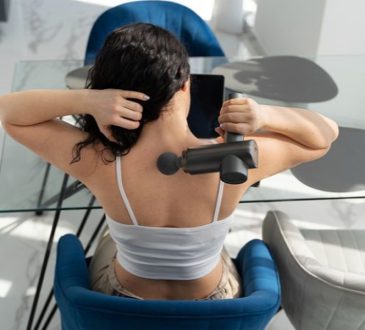
Back Massager in Singapore: Top Features to Consider Before Buying

With long working hours and extended screen time, back tension has become a common concern for many office workers and...
Sinus Surgery Costs in Singapore: What Patients Should Budget For

Key TakeawaysSurgeon and anaesthetist fees vary based on complexity, but ensure your safety in a delicate area.Private hospitals offer speed and comfort, while public hospitals offer subsidised affordability.Utilise MediSave and Integrated Shield Plans early to minimise your out-of-pocket expenses.IntroductionLiving with chronic congestion, facial pressure, or recurrent infections can leave individuals feeling physically drained. When medications no longer work, a consultation with an ear, nose, and throat specialist usually reveals that structural intervention is the next logical step. However, the transition from managing symptoms to scheduling a procedure often brings up...

The Complete Guide to Cancer Screenings at Every Age Group
Cancer is one of the leading causes of death worldwide and a significant number of cancer-related deaths are preventable. The...

Why Potenza Microneedling Is Trending and What It Says About Aesthetic Clinics


Key TakeawaysPotenza microneedling reflects a shift towards treatments that balance results with recoveryTrendspotting in aesthetics is driven by patient behaviour,...